Wednesday, September 14, 2022

 This also works with Windows Server Update Services so you can use this method either connecting to Windows Update (Microsoft Update) or Windows Server Update Services (WSUS).

Now lets get started!

  1. Open an Administrative (elevated) command prompt
  2. Run “sconfig” to launch the “Server Configuration” application
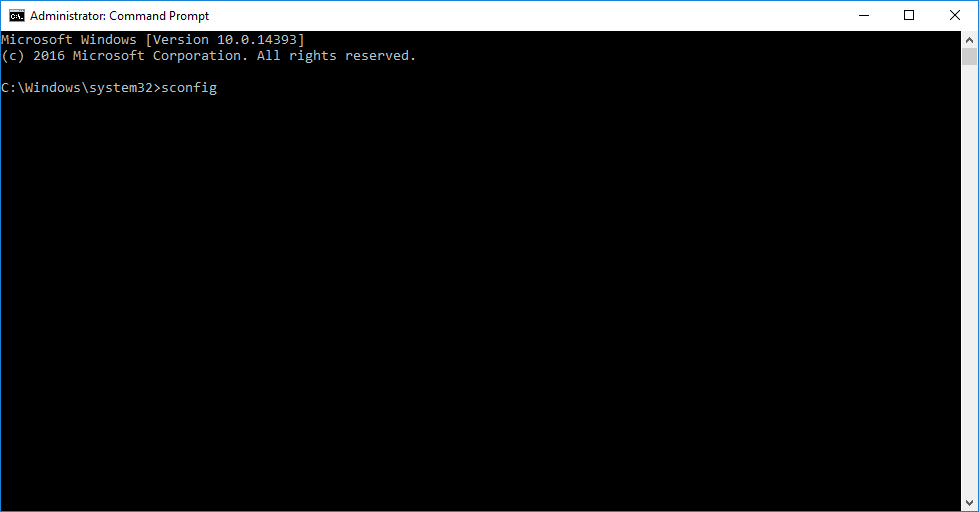
    command prompt launch sconfig
  3. Select option “6” to “Download and Install Windows Updates”
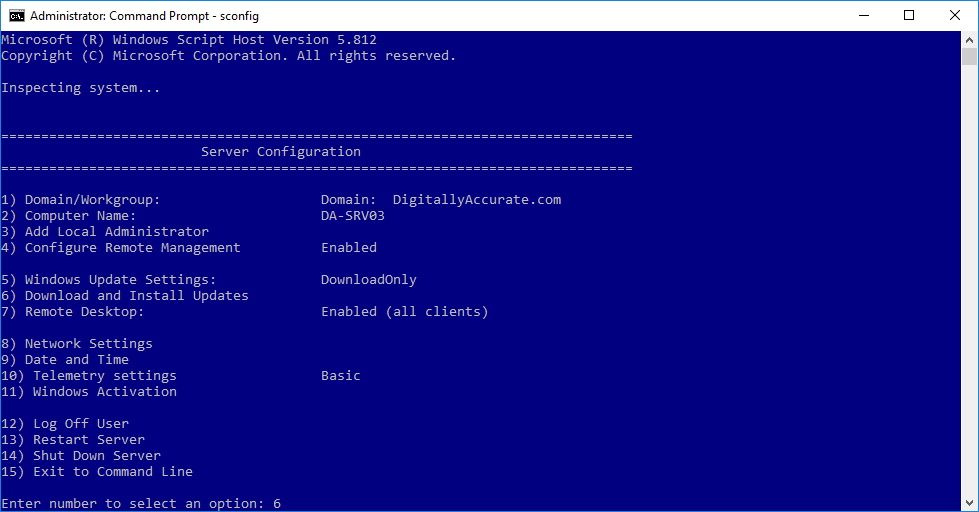
    sconfig Server Configuration menu
  4. Choose “A” for all updates, or “R” for recommended updates, and a scan will start
  5. After the available updates are shown, choose “A” for all updates, “N” for no updates, or “S” for single update selection

After performing the above, the updates will download and install.
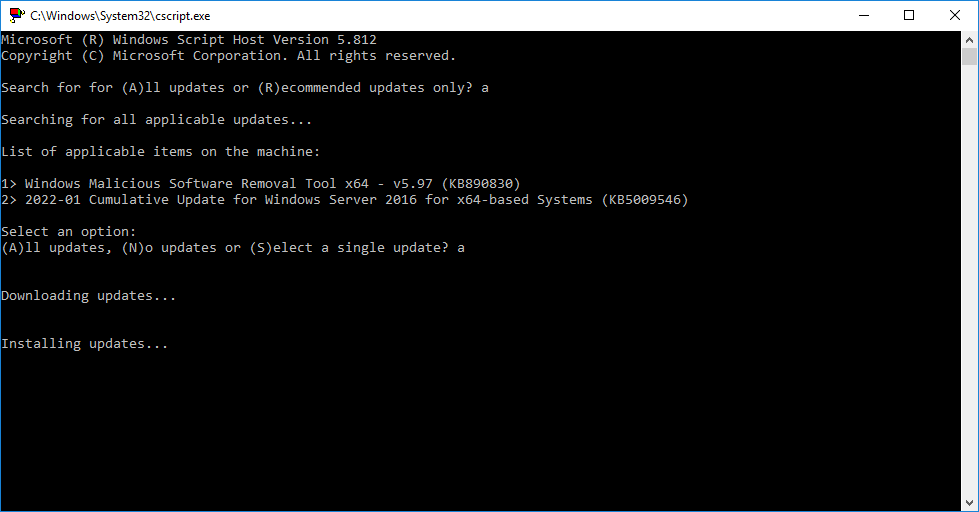
sconfig Windows Update running
“sconfig” Windows Update downloading and installing

I find it so much easier to use this method when updating many/multiple servers instead of the GUI. Once the updates are complete and you’re back at the “Server Configuration” application, you can use option “13” to restart Windows.

Windows Server Update with command prompt

Tuesday, April 5, 2022


Copy the code below into a new text document.


 @echo off

title Activate Office 365 ProPlus for FREE - &cls&echo =====================================================================================&echo #Project: Activating Microsoft software products for FREE without additional software&echo =====================================================================================&echo.&echo #Supported products: Office 365 ProPlus (x86-x64)&echo.&echo.&(if exist "%ProgramFiles%\Microsoft Office\Office16\ospp.vbs" cd /d "%ProgramFiles%\Microsoft Office\Office16")&(if exist "%ProgramFiles(x86)%\Microsoft Office\Office16\ospp.vbs" cd /d "%ProgramFiles(x86)%\Microsoft Office\Office16")&(for /f %%x in ('dir /b ..\root\Licenses16\proplusvl_kms*.xrm-ms') do cscript ospp.vbs /inslic:"..\root\Licenses16\%%x" >nul)&(for /f %%x in ('dir /b ..\root\Licenses16\proplusvl_mak*.xrm-ms') do cscript ospp.vbs /inslic:"..\root\Licenses16\%%x" >nul)&echo.&echo ============================================================================&echo Activating your Office...&cscript //nologo slmgr.vbs /ckms >nul&cscript //nologo ospp.vbs /setprt:1688 >nul&cscript //nologo ospp.vbs /unpkey:WFG99 >nul&cscript //nologo ospp.vbs /unpkey:DRTFM >nul&cscript //nologo ospp.vbs /unpkey:BTDRB >nul&set i=1&cscript //nologo ospp.vbs /inpkey:XQNVK-8JYDB-WJ9W3-YJ8YR-WFG99 >nul||cscript //nologo ospp.vbs /inpkey:NMMKJ-6RK4F-KMJVX-8D9MJ-6MWKP >nul||goto notsupported
:skms
if %i% GTR 10 goto busy
if %i% EQU 1 set KMS=kms7.MSGuides.com
if %i% EQU 2 set KMS=s8.uk.to
if %i% EQU 3 set KMS=s9.us.to
if %i% GTR 3 goto ato
cscript //nologo ospp.vbs /sethst:%KMS% >nul
:ato
echo ============================================================================&echo.&echo.&cscript //nologo ospp.vbs /act | find /i "successful" && (echo.&echo ============================================================================&echo.&echo #My official blog: MSGuides.com&echo.&echo #How it works: bit.ly/kms-server&echo.&echo #Please feel free to contact me at msguides.com@gmail.com if you have any questions or concerns.&echo.&echo #Please consider supporting this project: donate.msguides.com&echo #Your support is helping me keep my servers running 24/7!&echo.&echo ============================================================================&choice /n /c YN /m "Would you like to visit my blog [Y,N]?" & if errorlevel 2 exit) || (echo The connection to my KMS server failed! Trying to connect to another one... & echo Please wait... & echo. & echo. & set /a i+=1 & goto skms)
explorer "https://techanicalftp.blogspot.com"&goto halt
:notsupported
echo ============================================================================&echo.&echo Sorry, your version is not supported.&echo.&goto halt
:busy
echo ============================================================================&echo.&echo Sorry, the server is busy and can't respond to your request. Please try again.&echo.
:halt
pause >nul


 Save it as a batch file. (eg. office365.cmd).
Run the batch file with admin rights. (important!).

Done! Your Office is activated successfully.


Activate Office 365 ProPlus for FREE

 
Techanical FTP © 2015 - Designed by Templateism.com | Distributed By Blogger Templates